LEDEdit Class not Registered Error Fix

Class not registered LEDEdit 2021 Error Fix

Reasons for class not registered error

Since , Adobe flash player discontinued due to security risks and other reasons  .There will be no Adobe flash player update in the future . This cause lot of software that use flash components to stop working in new operating systems such as Windows 10 . Adobe asked people to remove Flash player from their computers . With the latest windows 10 update flash player will be removed automatically. This is why some software which worked before but no longer doesn't work in windows 10 and later versions . 

LEDEdit software also uses these flash player and it's libraries . Since , there is no flash player in windows 10 versions . This cause the LEDEdit to give an error "Class not registered" . This error can appear even if you tried to manually install old flash player in your system. However , The developers of the LEDEdit software managed to fix this error . Here is how to fix the "Class not registered" error.However If you wants to keep using the older version of LEDEdit checkout this tutorial to learn how to create a virual XP to run LEDEdit .

post first image

Download LEDEdit 2021 v6.8 Free

Download LEDEdit 2021

LEDEdit is the most famous software when it comes to programming pixel LEDs . This software first released back in 2012 . Almost all pixel LED controller supports this software . There where two main versions of this software one was the LEDEdit version and the other was the LEDEdit-K versions . LEDEdit software versions are designed for offline pixel LED controllers and the LEDEdit-K versions are designed for both offline and online pixel LED controllers . However , The controllers supported by these software versions may differ from software version to version (Older versions of the software support older pixel LED chips and controllers and newer software versions support newer pixel LED chips and controllers ). There where two software releases in this year (2021) . This is the second release (v 6.8). The first release had problems due to flash player removal from windows 10 versions . In this software version that bug has been fixed . Here is how to download and install LEDEdit 2021 v6.8 .

post first image

How to Create Custom Pixel LED Layouts with CorelDRAW

We have talked about custom pixel LED layouts in the past . We discussed on How to create custom pixel LED layout with CorelDRAW and AutoCAD software. In that tutorial we have discussed how to create a circle pixel LED layout with CorelDRAW and wire it using AutoCAD. In this tutorial we will look into how to create a custom pixel LED layout only using CorelDraw software. Both layout creation and wiring (connecting) can be done in CorelDRAW . 
post first image

LEDEdit 2021 Tutorial

New LED Edit software is out. So many new features and functions has been added. So, we decided to create a new LEDEdit 2021 software tutorial .Since it's first release back in 2012 a lot   LEDEdit has been changed.LEDEdit versions discontinued after 2014 release .But ,There where some 3rd party modified versions such as LEDEdit 2018.After 2014 , Started to release the LEDEdit -K software with new interface and focusing on K series pixel LED controllers.However, New LEDEdit 2021 version have features of both LEDEdit and LEDEdit-K software versions.Here is the tutorial of LEDEdit 2021.

If you don't have LEDEdit 2021 installed in your system yet. [ Here is how to install and LEDEdit 2021 download links ] .

post first image

Download LEDEdit 2021

Download LEDEdit 2021

Year 2021 is already here and new version of LedEdit software available for download .This LED Edit version has some improved features .LEDEdit is the most used pixel LED software. Because, It supports large variety of pixel LED controllers and  pixel LED drive chips . Also it's easy to use and has features that other pixel LED programming software doesn't have. Here are some of the added features in this LEDEdit version.


• Fixed software bugs .
• Automatic software Updater.
• More supported pixel LED controllers and drive chips .
• Improved custom effects creator .
• More export options.
• Improved MADRIX support.

post first image

K-1000C Pixel LED Controller Tutorial

K-1000C pixel LED controller is the successor of T-1000S pixel LED controller  . It can be called a upgraded version of T-1000S . K-1000C comes with a seven segment display .This controller is a single port pixel LED controller that supports over 30 pixel LED chip types . There are basically three types of signal protocols supported by this controller The NRZ , TTL and RX485 (DMX512) . There is a separate port for RX485 (DMX512) pixel LEDs . This controller comes with the detachable terminals (To make controller swapping easy). The SD card has 256MB of memory . User manual has basic instructions in both Chinese and English languages.

post first image

How To Select The Pixel LED Type In the Controller

Pixel LED strings or strips named after the pixel led drive chip names that is used in that strip or string . Some pixel led controllers require to select the pixel LED type manually . Since , There limited space in the display , Pixel LED Drive chips represented by two digit numbers .  Here are the chip codes and what are the corresponding pixel LED drive IC numbers . Usually , The first two digits in your pixel LED controller displays the selected drive chip code .

post first image

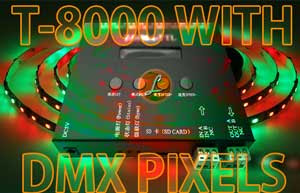
How to use DMX512 Pixel LEDs with T-8000 Controller

How to use DMX512 LEDs with Pixel LED controllers
As we have discussed in [ How to use DMX512 pixel LEDs with pixel LED controllers ] article , many pixel LED controllers supports DMX512 protocol , But there are very few or no documentation on how to do that .In this article lets look in to how to use T-8000 pixel LED controllers with pixel LED strips or strings. [ Click Here to Know more About T-8000 pixel LED controller ]
post first image

How to use DMX512 pixel LEDs with pixel LED controllers

How to use DMX512 LEDs with Pixel LED controllers

DMX512 Protocol

Digital Multiplex is a communication protocol used to remotely control lighting dimmers and intelligent devices. DMX is an  asynchronous serial digital data protocol .  It’s designed to provide a common communications standard between these lighting devices . So that deferent devises from different manufactures can work together.  

The number 512 after the DMX refers to the number of control channels used on one network segment of devices.  In a simple dimming system, one channel controls the intensity of one dimmer.  A single intelligent device may require several channels to control its various parameters .

The DMX 512 protocol is based on the Standard 485 or RS-485 (EIA/TIA-485 standard), which uses asynchronous, differential data transmission.  This standard supports 32 devices on one network at a distance of up to 4000 feet.  One device functions as the master (the DMX controller) on a network, while the rest function as slaves (dimmers, intelligent fixtures, etc.).  Only the master transmits over the network, and all slaves receive the same data.

post first image

Creating Pixel LED Using TM1812


TM1812 is a 12 output RGB LED drive IC , which means single TM1812 IC can drive 4 RGB LEDs.This IC consists of data latch , signal reshape and high voltage regulator circuits. It can be used for outdoor large-screen and color dot-matrix control applications.Since it can control 4 RGB LEDs  ,this IC is most suitable for designing pixel LED strips .

post first image