
How to fix Keyboard key repeatedly pressing or typing

Download LED Edit 2019 v4.6
 |
| Download LED Edit 2019 v4.6 |
LED Edit software is one of the most popular softwares used when it comes to programming Pixel LED Displays due to it's ease of use and availability of functions . This software was first came to public on 2012 with the first commercial Pixel LED controller.There are few different versions available LEDEdit , LEDEdit-K and LED Player .LEDEdit is solely designed to used with offline controllers such as T-1000S ,T-1000AC ,T-4000 etc. LEDEdit-K and led player is designed for the online controllers such as T-200K ,T-300K ,T-400K etc.Generally they have same features except for few differences.Each software version supports different set of controllers . Here is the 2019 version 4.6 of the software. This version was released due to some bugs on v4.5 of the software .

How to install Dot Net 3.5 in windows 8.1
 |
| An app require .net 3.5 windows 8 message |

[Fixed] How to install Dot net 3.5 In Windows 8
|
| An app require .net 3.5 windows 8 message |
Download LED Edit 2019 Versions
 |
| Download LED Edit 2019 |
LED Edit software is one of the most popular softwares used when it comes to programming Pixel LED Displays due to it's ease of use and availability of functions . This software was first came to public on 2012 with the first commercial Pixel LED controller.There are few different versions available LEDEdit , LEDEdit-K and LED Player .LEDEdit is solely designed to used with offline controllers such as T-1000S ,T-1000AC ,T-4000 etc. LEDEdit-K and led player is designed for the online controllers such as T-200K ,T-300K ,T-400K etc.Generally they have same features except for few differences.Each software version supports different set of controllers . Here are the 2019 versions of the software.

T-600K Pixel LED Controller Tutorial
 |
| T-600K Pixel LED Controller Tutorial |
In this lesson we are going to talk about the Pixel LED controller model T-600K .Online control is very impotent when it comes
to live events ,You must have real-time control of the display so you
can change animations or videos depending on the situation .T-600K controller is different from other "K" series pixel LED controllers because it only can be used as a online controller but it is identical to T-500K controller .First of all, Lets talk about the specifications of the T-600K controller .

T-500K Pixel LED Controller Tutorial
 |
| T-500K Pixel LED Controller Tutorial |
In
this lesson we are going to talk about the online control
of the T-500K controller .Online control is very impotent when it comes
to live events ,You must have real-time control of the display so you
can change animations or videos depending on the situation .T-500K controller is different from other "K" series pixel LED controllers because it only can be used as a online controller ,We will discuss this later in this tutorial .First of all lets talk about the specifications of the T-500K controller .
T-200K Pixel LED Controller Tutorial
 |
| T-200K Pixel LED Controller Tutorial |
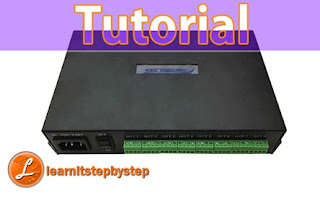
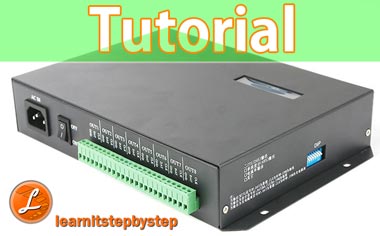
In this lesson we are going to talk about the online and offline control of the T-200K controller .Online control is very impotent when it comes to live events ,You must have real-time control of the display so you can change animations or videos according to the situation .Offline control is where you store the pattern files in a SD card and insert that SD card into the controller . This way you can play set of per-programmed patterns repetitively .T-200K and T-300K controllers are almost same ,Only have slight differences. If you are interested in T-300K controller click on below links .

LED Edit-K Online Control Tutorial
 |
| LED Edit-K Online Control Tutorial |
LED Edit-K software is a special version of LED Edit software that is designed for "K" version Pixel LED controllers. These controllers are designed to operate both online and offline. Ex - T-300K ,T-400K ,T-500K,T-600K , etc .But also supports few of other controllers like T-1000 controllers . In my previous articles, I have talked about offline side of this software .In this tutorial we are going to look into the online side of this software .In order to use this software in online mode we need a controller that supports Online control such as T-300K ,T-400K ,T-500K,T-600K . I'm going to use T-400K controller for this tutorial .Please checkout my article on online mode of T-300K controller [HERE] . .I'm going to use LED Edit-K 2018 ( v3.53.1 ) version in this tutorial . If you don't have the LED Edit-K Software ,Please download the latest version from below .
LEDEdit Software Online Control Tutorial
 |
| LEDEdit Software Online Tutorial |