TM1809 is a 9 output RGB LED drive IC , which means single IC can drive 3 RGB LEDs.This IC consists of data latch , signal reshape and high voltage driver circuits. It can be used for outdoor large-screen and color dot-matrix control applications.Since it can control 3 RGB LEDs at the same time ,this IC is useful when you want less components and more LEDs in your system.
Creating Pixel LED Using TM1809
TM1809 is a 9 output RGB LED drive IC , which means single IC can drive 3 RGB LEDs.This IC consists of data latch , signal reshape and high voltage driver circuits. It can be used for outdoor large-screen and color dot-matrix control applications.Since it can control 3 RGB LEDs at the same time ,this IC is useful when you want less components and more LEDs in your system.
Creating a Pixel LED Using TM1803 / TM1804
TM1803 is a 3 output RGB LED drive IC which consist of MCU digital interface, latch , signal reshape and high voltage driver circuits.Through networking ,it can achieve outdoor large-screen and color dot-matrix control . It can support up to 24v RGB LED drive circuits .TM1803 supports up to 256 level gray control.It has a Built-in RC oscillator, signal clock synchronization. While accepting the completed data of this module, data can be auto-shaped and transmitted to next chip through data output pin.
Creating a Pixel LED using WS2821 IC
Creating a Pixel LED using WS2811 IC
The WS2811 is a 3 channel output IC specially designed for pixel LEDs .It includes an intelligent digital data latch port and a signal reshaping and amplification circuit.It also have a precision internal oscillator and a 12V voltage programmable constant current output drive circuitry.To reduce the power supply noise , the 3 output channels designed with delay turn-on function.
Building a Pixel LED Tutorial
Missing mount option from right click menu fix
Download LEDEdit 2020
LEDEdit-K 2020 Version 5.4
LEDEdit -K Custom Animation Tutorial
Are you tired of looking for an animations for your pixel LED project and looking for a 3rd party software to create an animation? . What if I tell you that you don't need any 3rd party software to create an animation . You can create a custom animation in LEDEdit-K software .Of cause ,This is not for advance animations but for simple effects this is the best way to create an animation since it's quick and easy .The most impotent thing is that it doesn't require advance knowledge in CGI .In this tutorial we will discuss how to create a custom animation in LEDEdit - K software.
LEDEdit-K Split Layout Tutorial
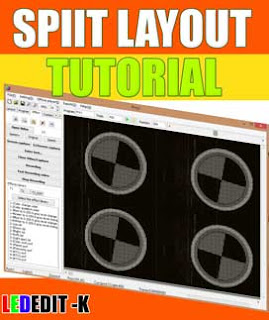
If you are new to LEDEdit - K software . Please checkout the [LEDEdit-K Basics Tutorial] .In this tutorial I'm not going in to the basics of LEDEdit - K such as creating new project , creating a layout , Recording/ Programming , Editing and exporting . Please refer to that article before proceeding .
LEDEdit-K Text Effects Tutorial
LEDEdit-K is one of the most popular software when it comes to Pixel LED programming.It has very useful features . The text effect feature is one of them.You can show customized text on your panels without using any 3rd party software .In this article, I will show you how to use this feature for your pixel led projects .