Missing mount option from right click menu fix

Windows 8 and later versions of windows have the ability to mount disk image files such as .iso and .img without installing any 3rd party software. All you have to do is right click on the image file and select "mount" or double click on the file  .Which will mount the image file to a virtual disk drive .Without any 3rd party software you can open a disk image file or write disk image file to a CD or DVD . But , Due to certain reasons this option can disappear from right click menu. Let's check how to get back these options in this tutorial. 

Why mount option not in the right click menu

Disk image mount option in right click menu

 
post first image

Download LEDEdit 2020

Download_LedEdit_2020

LEDEdit-K 2020 Version 5.4

LEDEdit-K ( Formally known as LEDEdit ) is a pixel led programming software .This software supports large verity of pixel led controllers . LEDEdit-K make Pixel led programming to another level allowing you to customize your layouts . Opening up doors to unlimited creativity. LEDEdit-K supports both offline and online controllers . Here is the version 5.4 that released on year 2020 .This is the fist version released in this year . In this version fixed some bugs in the previous version .
post first image

LEDEdit -K Custom Animation Tutorial

LEDEdit -K Custom Animation Tutorial

Are you tired of looking for an animations for your pixel LED project and looking for a 3rd party software to create an animation? . What if I tell you that you don't need any 3rd party software to create an animation . You can create a custom animation in LEDEdit-K software .Of cause ,This is not for advance animations but for simple effects this is the best way to create an animation since it's quick and easy .The most impotent thing is that it doesn't require advance knowledge in CGI .In this tutorial we will discuss how to create a custom animation in LEDEdit - K software.

post first image

LEDEdit-K Split Layout Tutorial


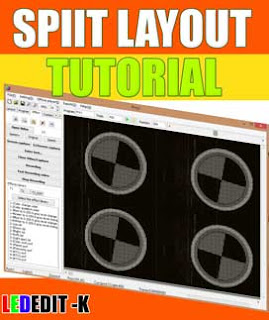
LEDEdit-K Split Layout Tutorial You can split the pixel led layout into different sections and record videos or animations in each section in LEDEdit-K version .This is one of the most useful features of LED Edit software .You don't have to redesign the animation or the video files to get the split effect from your layout .With this feature you can split the screen into different sections and play videos in each section at the same time. In other words simultaneous video playback of different areas of the layout .you can split the layout as much as possible .Best part is that the split screens that you create are not permanent which means you can change the split screens anytime you want .

If you are new to LEDEdit - K software . Please checkout the [LEDEdit-K Basics Tutorial]  .In this tutorial I'm not going in to the basics of LEDEdit - K such as creating new project , creating a layout , Recording/ Programming , Editing and exporting . Please refer to that article before proceeding .
post first image

LEDEdit-K Text Effects Tutorial

Thumbnail_LEDEdit_K_Text_animations


LEDEdit-K is one of the most popular software when it comes to Pixel LED programming.It has very useful features . The text effect feature is one of them.You can show customized text on your panels without using any 3rd party software  .In this article, I will show you how to use this feature for your pixel led projects .


post first image

Download LEDEdit 2019 V5.1

Download LEDEdit 2019 v5.1
LED Edit software is one of the most popular software used when it comes to programming Pixel LED Displays due to it's ease of use and availability of functions . This software was first came to public on 2012 with the first commercial Pixel LED controller.There are few different versions available LEDEdit , LEDEdit-K  and LED Player .LEDEdit is solely designed to used with offline controllers such as T-1000S ,T-1000AC ,T-4000 etc(LEDEdit software is discontinued after 2018). LEDEdit-K and led player is designed for the online controllers such as T-200K ,T-300K ,T-400K etc.But LEDEdit-K supports both offline and online controllers..Generally they have same features except for few differences.Each software version supports different set of controllers . Here is the 2019 version 5.1 of the software this is the final version released for year 2019.

post first image

LEDEdit 2014 not working fix

LEDEDIT 2014

LEDEdit Icon right-click menu
LEDEDIT 2014 is a very famous software among pixel led programmers.It has large verity of supported controllers and pixel led drive chips .It also supports large verity of imported media. This software comes with improved features and tools that makes Pixel LED programming easy.

In some windows versions ,You may seen this annoying message that pops-up while you are trying to create a new project or trying to export the pixel led effect files in LEDEdit 2014 version .Here, In this article we discuss how to fix that problem .

post first image

Download LEDEdit 2019 V4.7

Download LEDEdit 2019 v4.7
LED Edit software is one of the most popular software used when it comes to programming Pixel LED Displays due to it's ease of use and availability of functions . This software was first came to public on 2012 with the first commercial Pixel LED controller.There are few different versions available LEDEdit , LEDEdit-K  and LED Player .LEDEdit is solely designed to used with offline controllers such as T-1000S ,T-1000AC ,T-4000 etc. LEDEdit-K and led player is designed for the online controllers such as T-200K ,T-300K ,T-400K etc.But LEDEdit-K supports some offline controllers too.Generally they have same features except for few differences.Each software version supports different set of controllers . Here is the 2019 version 4.7 of the software.

post first image

Brave Browser not working fix

Brave Browser Not working fix

Besides Firefox and Google Chrome ,Brave browser is the one of the most famous among web browsers in the world.The best part about brave browser is that you can earn money while surfing in the internet. It allows you to earn cryptocurrency via Adds.This chromium web browser is pretty good and fast .
post first image

Tor Browser display driver stopped responding fix

Display driver stopped responding and has recoverd message
Display driver stopped responding message
If you are worried that people or the government tracking your web activity ,Tor browser is the best answer to that problem.It gives you the best private browsing experience .

I also use this browser here and there but there is a error that freezes the browser and gives me a message every time I play a video.The message comes from the windows itself "Display driver stopped responding and recovered" .Here is how to fix it .
post first image